How Wakey works

A call at the right time.
A record of who answered.

Wakey handles scheduled wake-up calls and backup notifications. You decide who to call, when to call, and who should hear about a missed response.

Watch the setup tutorials

Your crew in one place

A phone number is all your crew needs.

Add names and phone numbers to Contacts. Crew members receive a regular call, with no app to install. Use the same contact list for scheduled calls and backup coverage.

See it in the product
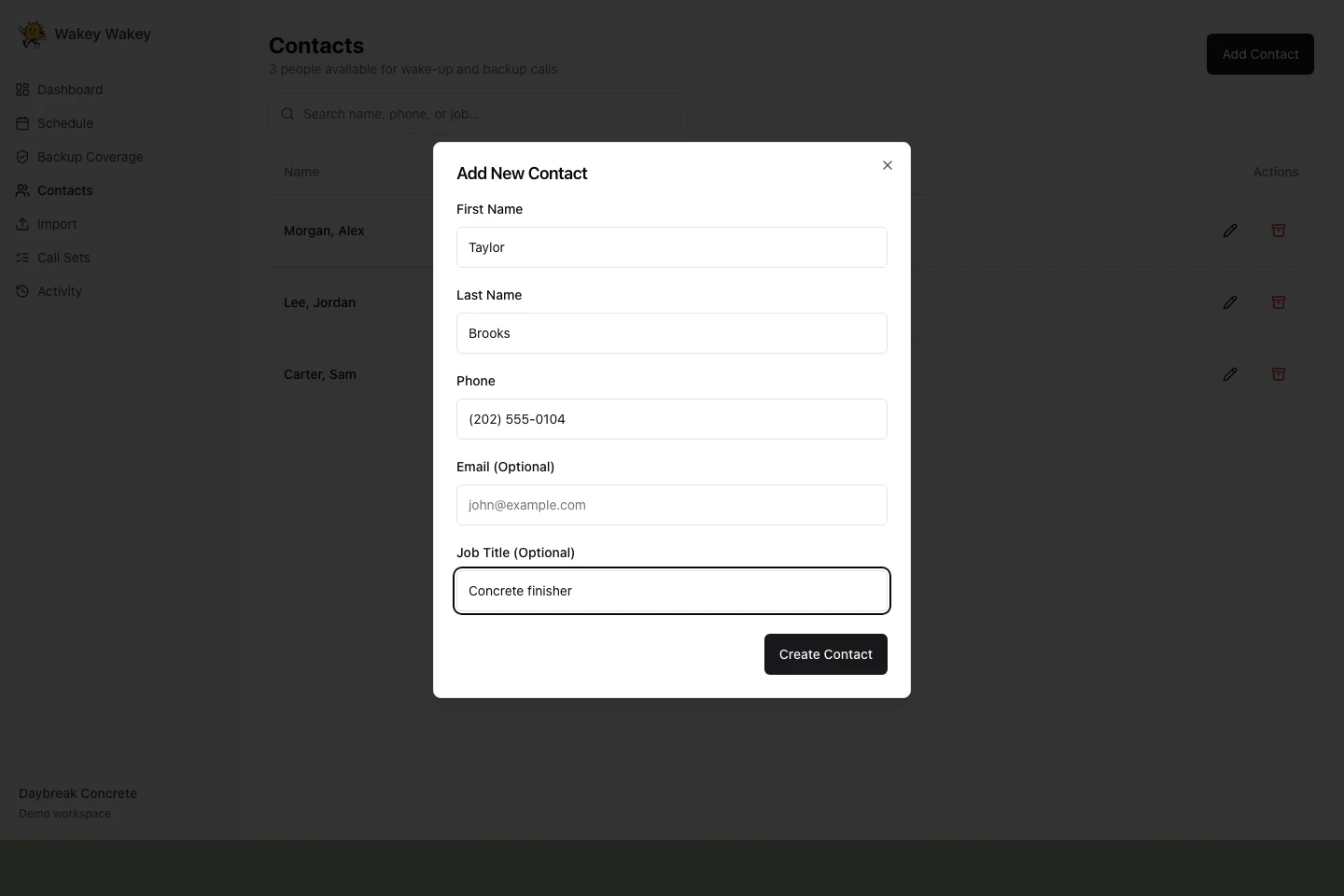
Wakey contacts screen with fictional crew details

Plan the next early start

Set it for tomorrow. Or every workday.

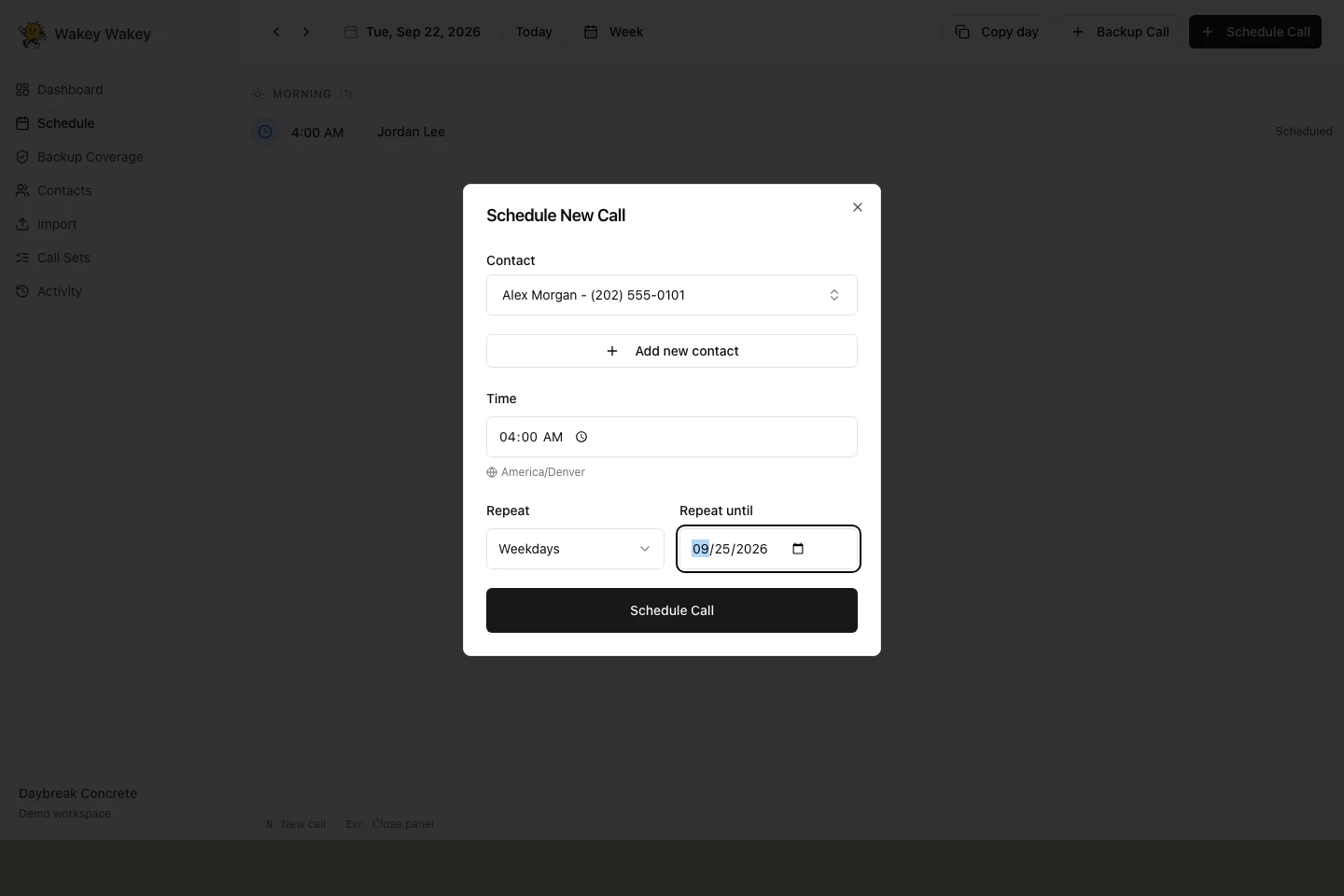
Choose a date, contact, and wake-up time. Repeat every day, on weekdays, or every week until a chosen date. Use the schedule to review upcoming calls and copy a day to another date.

See it in the product
Wakey schedule screen with fictional crew details

Give missed calls a next step

Choose who gets the backup call.

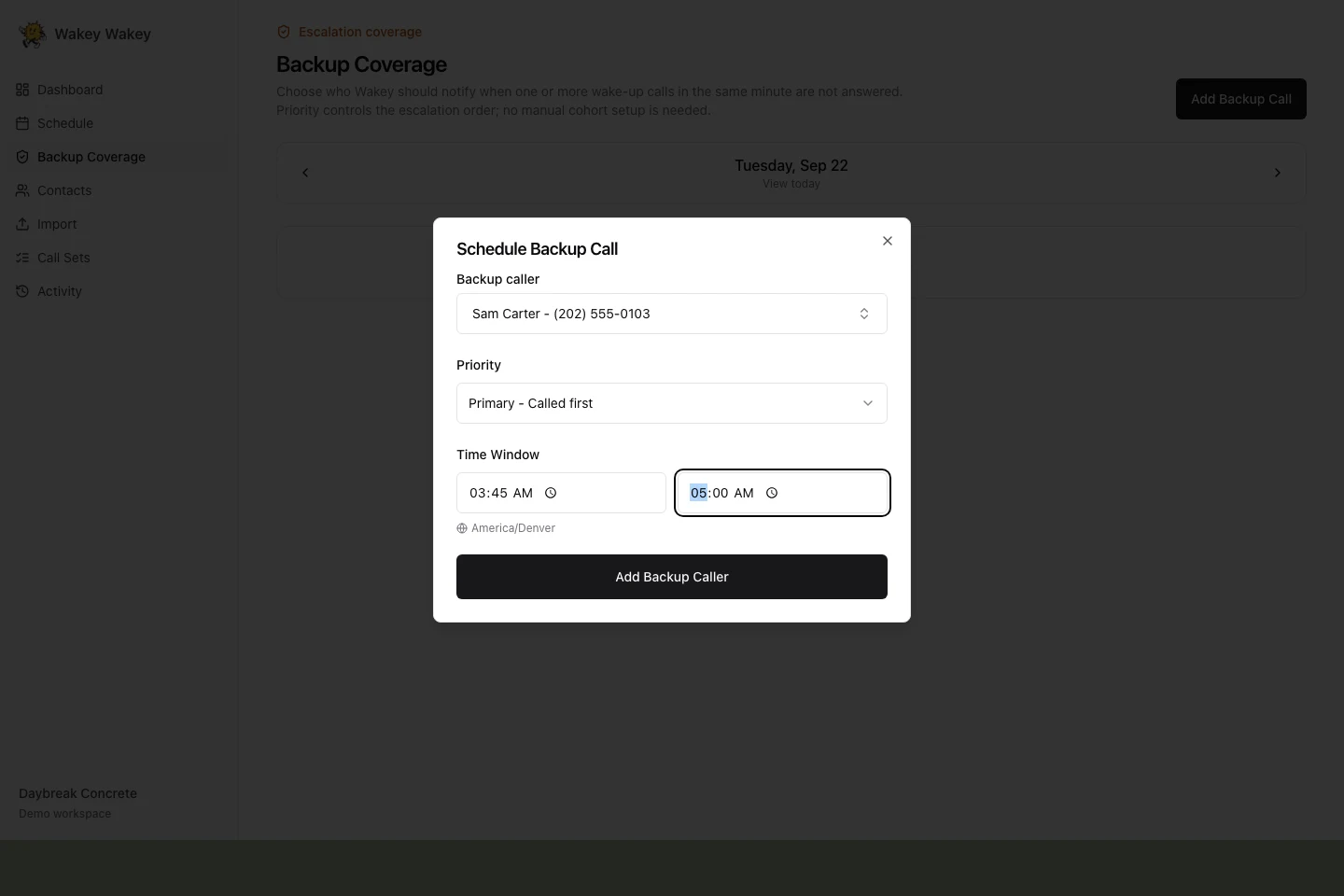
Give each backup contact a coverage window and priority. Wakey calls eligible backups in order when a wake-up call is unsuccessful. It groups calls scheduled for the same minute for backup escalation.

See it in the product
Wakey backup screen with fictional crew details

After the phone rings

Check the result
and the conversation.

Open a scheduled call to see its outcome, transcript, and backup attempts. An answered wake-up call and a successful backup notification are different results, so you can see who Wakey actually reached.

A call result records what happened on the phone. Use your normal process to confirm attendance and follow up with anyone you still need to reach.

Before your first call

Questions,
answered.

What happens on a wake-up call?

Wakey places a phone call at the scheduled time. Its AI assistant speaks with the person and asks for a response. You can review the call result and transcript in the app.

What if someone does not answer?

When a wake-up call is unsuccessful, Wakey uses the backup coverage you configured. It calls eligible backup contacts in priority order. Calls scheduled for the same minute are grouped for backup escalation.

Does the crew need to install an app?

No. Crew members receive a regular phone call. The person managing the schedule uses Wakey in a browser.

What does a call cost?

Each call attempt costs $1.99, including unanswered attempts and backup notifications. There is no monthly platform fee or minimum usage. Call usage is billed monthly.

Can I repeat the same wake-up time?

Yes. Choose Every day, Weekdays, or Every week when scheduling, then set a Repeat until date. You can also copy a day of scheduled calls to another date.

For your next early start

Put the wake-up calls
on tomorrow's schedule.

$1.99 per call attempt. No monthly platform fee.

Set up your first call